Open a clip’s overview
- Prepare the source and open a ready clip from the Archive.
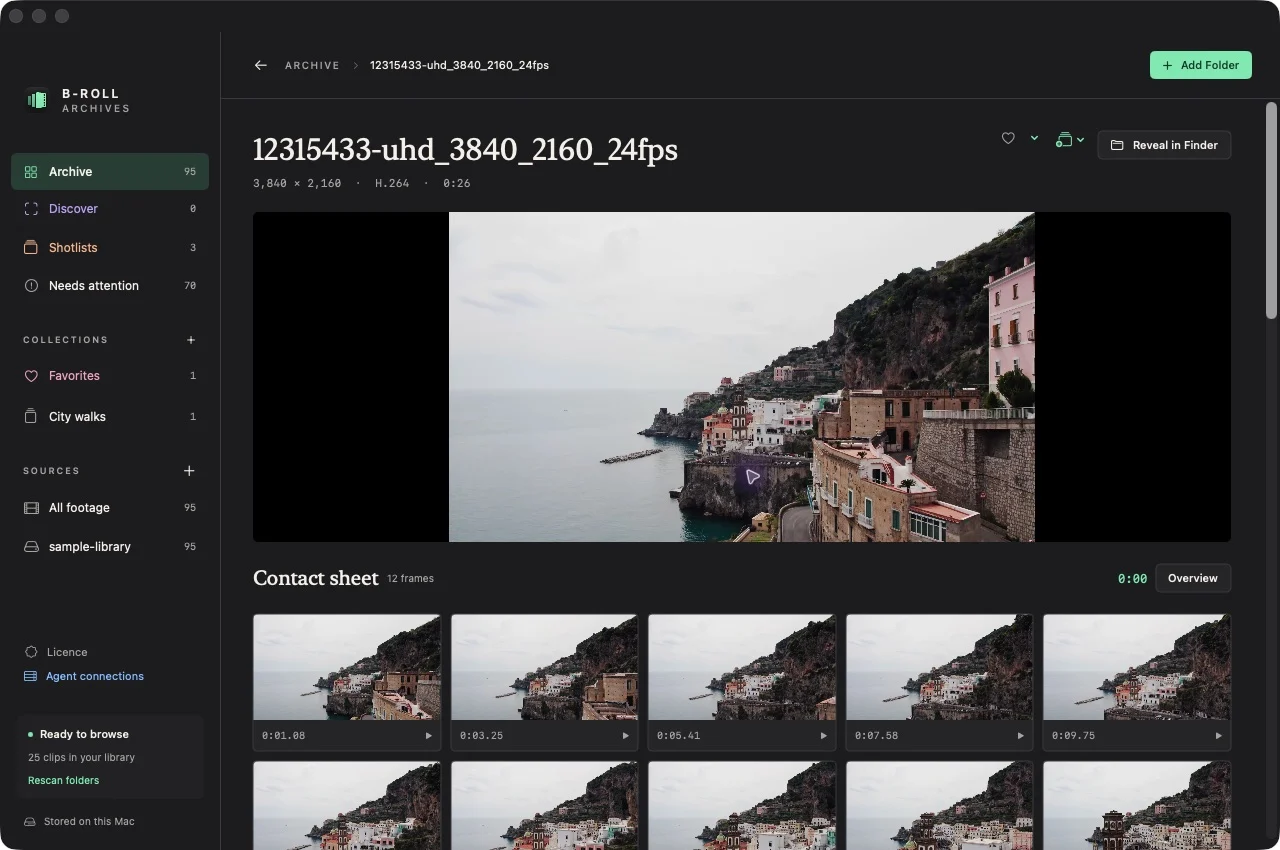
- Find Contact sheet in the clip view.
- Scan the overview frames and their timestamps in time order.
- Select the sample nearest the moment you want to open playback at that timestamp.
Expected result: you can recognize several moments from the clip without watching it from the beginning.
Look closer at a range
Use Look closer, set a start and end within the clip, and choose Inspect Range. The prototype creates a denser set of 24 inspection frames for that selected range. Only the latest range set for a clip is retained.
Range-inspection frames are for human browsing and are not currently embedded in the visual-search index.
Understand what a sample covers
The twelve-frame overview samples a clip; it does not represent every frame. Short events can fall between samples. Watch the original near a promising timestamp before deciding that the shot is suitable.
Cached contact sheets remain browsable when a prepared drive is disconnected. Original playback requires the source. Current contact sheets support browsing and retrieval, without image/PDF export or printing. See the browsing-versus-export guide.