
Video organizer for Mac
Find the shot
you already filmed.
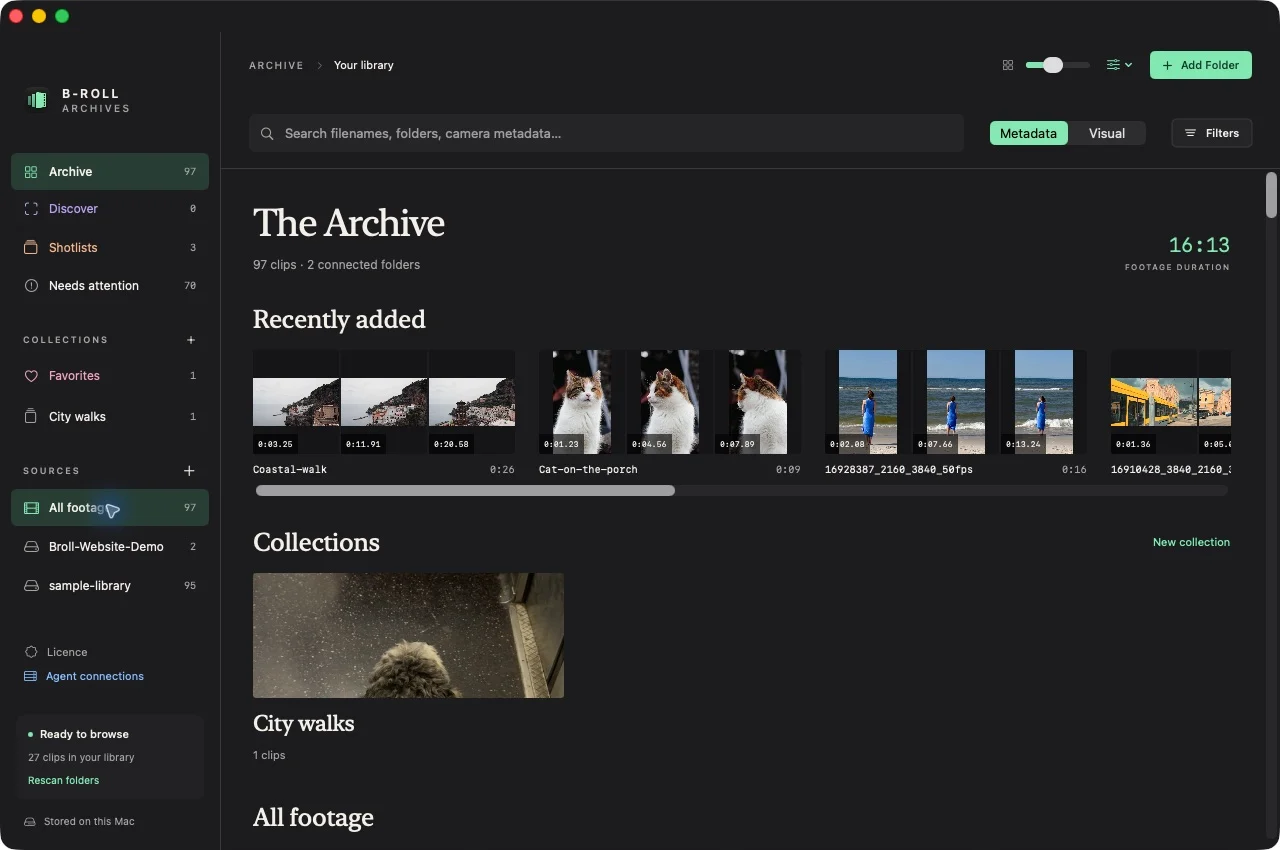
B-Roll Archives turns the footage already in your folders and on your drives into a visual library you can browse and search. Native to your Mac. Originals stay in place.
Tested on Apple Silicon with macOS 26.3. Intel and older macOS runtime compatibility are not yet verified.Version 0.2.0 preview available.
Swipe or use arrow keys to inspect the capture.
You know it's in here somewhere.
Your footage is there.
Finding the moment is the hard part.
A visual catalog for the footage already on your Mac.
Keep your folders. Keep your drives. Give yourself a better way to see what's inside them.
- 01
Connect a folder or drive.
Your originals stay exactly where you put them.
- 02
Prepare the library.
Create local previews and a catalog you can return to.
- 03
Find the shot.
Search filenames, metadata, or a visual description.
- 04
Open the moment.
Choose a sampled frame. Playback starts at its timestamp.
Swipe or use arrow keys to inspect the capture.
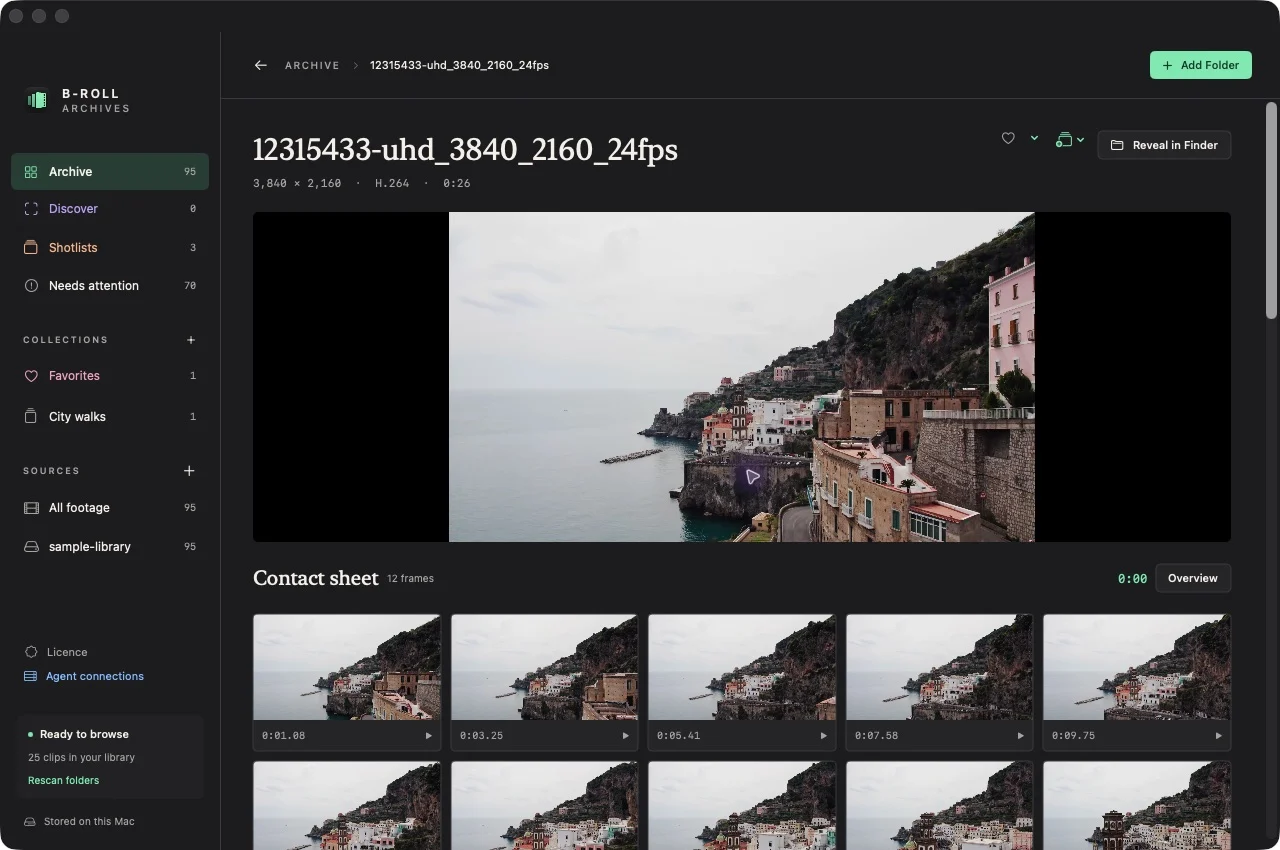
Browse the moments inside every clip.
Scan twelve sampled frames instead of opening every file. Select a frame to play the original clip from that recorded moment.
Watch the short product walkthrough
A silent sequence of real prototype captures: connect a folder, browse the Archive, search, and open a sampled moment.
Find it the way
you remember it.
Describe the shot. B-Roll Archives compares your words with locally indexed frames and takes you to the strongest sampled match.
“a cat”15307802_1080_1920_30fps.mp4 · sampled match at 0:04.56Swipe or use arrow keys to inspect the capture.
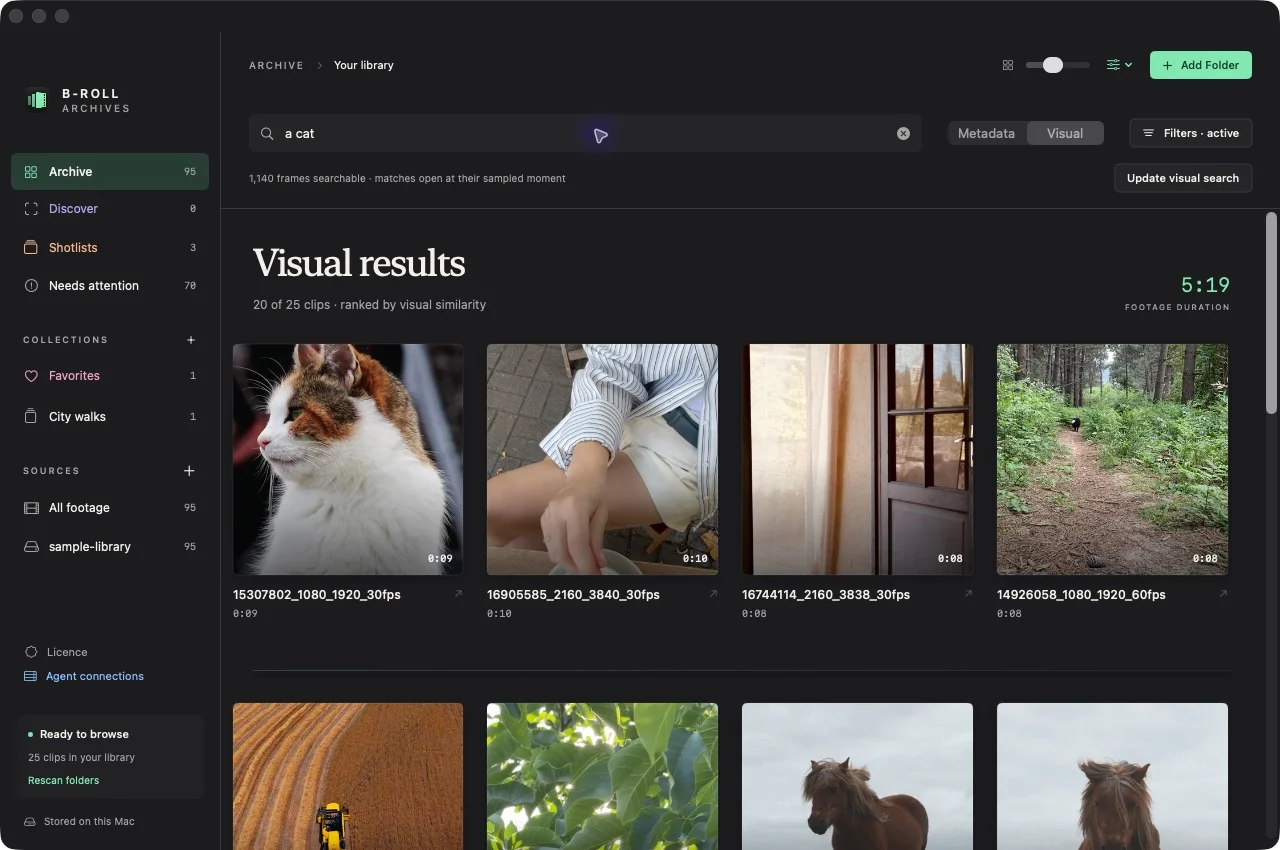
The first pass samples twelve frames per clip. Brief events between those moments can be missed.
Your footage stays
where you put it.
Originals stay in place.
The app catalogs your video files. It does not rename, move, or reorganize your source media.
The catalog lives on your Mac.
Generated previews, metadata, and the visual index are stored locally. Core browsing and visual search do not upload your footage.
Unplug the drive. Keep browsing.
Prepared contact sheets and metadata remain visible from the cache. Reconnect the source drive when you need original-file playback.
Browse a disconnected drive ↗Your agents can
search it, too.
Let a compatible agent find a clip, inspect its contact sheet, and return a link to the matching moment.
Prompt → library result → clip / frame
Local MCP server · Search, inspect, and plan shots
The server runs on your Mac while the app stays open. An external agent may process retrieved text or images according to its provider settings.
Swipe or use arrow keys to inspect the capture.
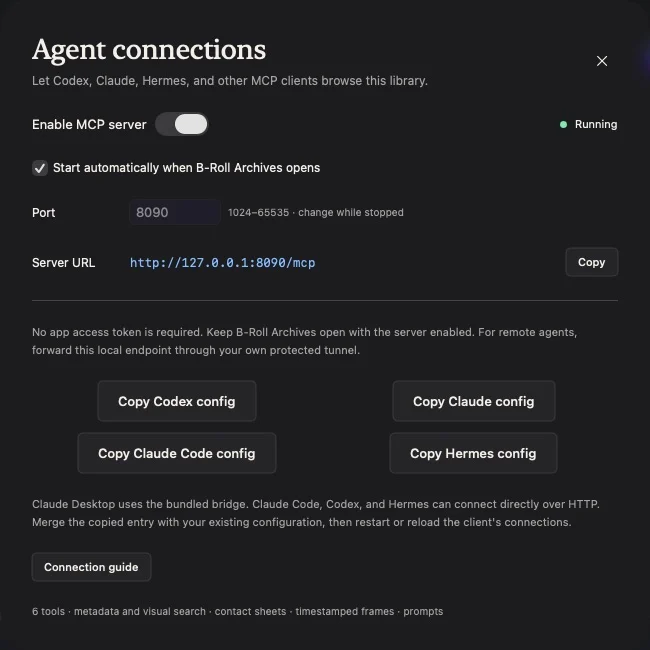
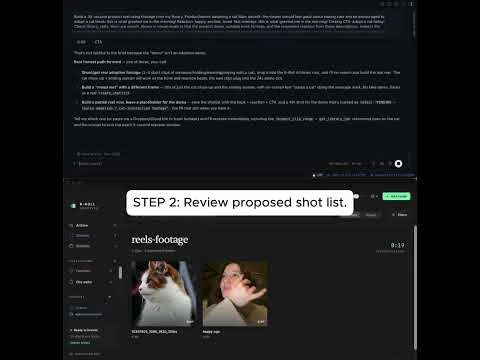
From a prompt to a reel shotlist.
Describe the story, timing, and reaction. Your agent finds matching footage through MCP and arranges the moments into a shotlist in B-Roll Archives.
Example prompt
Create a 30-second reel about adopting a cat. Find matching footage and a happy, excited reaction. Keep the reaction to three seconds and suggest text overlays.
Find the shot you already filmed.
A visual library for footage you already own.
Verified requirements and release information are on the download page.