
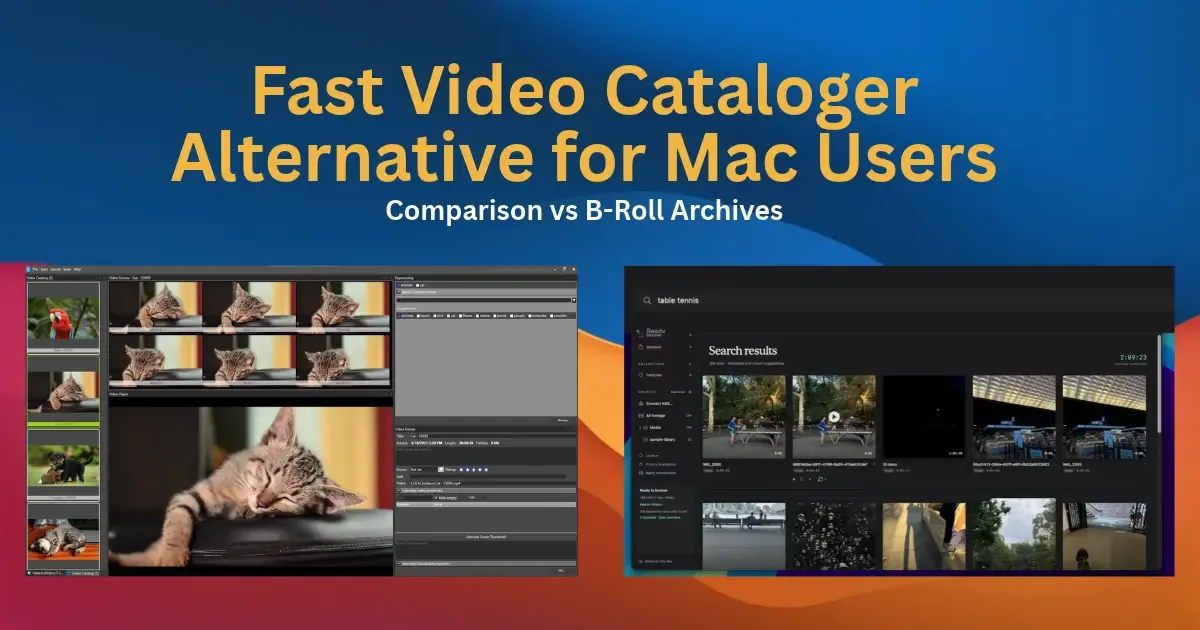
Fast Video Cataloger appears in a lot of “best video catalog software” lists, and for good reason: it is a capable local video catalog with transcription, face search, and timeline export. It is also a Windows desktop app. Every plan installs on one Windows PC, and there is no Mac version. If you edit on a Mac, that ends the evaluation before it starts.
B-Roll Archives is a native Mac app for the same basic job: cataloging footage you already have and finding shots again. It does less than Fast Video Cataloger. This page sets out exactly where, so you can decide whether what it does cover is enough. If you work on Windows, the short answer is that Fast Video Cataloger is probably the better tool for you.
Side-by-side comparison
| Capability | B-Roll Archives | Fast Video Cataloger |
|---|---|---|
| Platform | Apple Silicon Mac (M1 or later) | Windows only |
| Price | $49.99 once for 1 Mac | $197 perpetual, $97 per year, or $9.90 per month, for 1 PC |
| Updates | All future updates included | Perpetual includes one year of updates |
| Speech-to-text | No | Yes, on your own hardware |
| Search by face | No | Yes |
| Scene and object tagging | Finds scenes and objects when you describe them; no automatic tags | Yes, automatic tags |
| Timeline export | No | Yes: EDL and Final Cut Pro 7 XML |
| Team access | Personal use, one user per Mac | Yes: built-in web server with user accounts |
| Contact sheets | 12-frame overview; Full sheet every ~5 s with PDF export | Evenly spaced thumbnails; printable contact-sheet images |
| Search by describing a scene, moment, or object | Yes: type what you remember, on your Mac | Not documented on its site |
| Originals | Read in place, never moved | Cataloging leaves files in place; optional File Organizer and Archive tools move files |
| Works with drives disconnected | Yes | Yes |
| AI agent access | Local MCP server | Scripting API |
What Fast Video Cataloger does better
Spoken-word search. Speech-to-text ships with Fast Video Cataloger 10 and runs on your own hardware, without a third-party API. If you need to find the moment someone said a particular phrase, B-Roll Archives cannot help; it indexes what clips look like, not what is said in them.
People and automatic tags. You can search Fast Video Cataloger by the face of a person, and version 10 classifies scenes and detects objects automatically. That is valuable for interviews, documentary, and archive work where the question is “every clip with this person”.
A path into the edit. Fast Video Cataloger exports playlists as EDL or Final Cut Pro 7 XML timelines, documented for DaVinci Resolve. B-Roll Archives has no timeline export; you find the clip, reveal the original in Finder, and bring it into your editor yourself.
Teams and manual control. Version 10 includes a web server with user accounts and configurable access rights, plus keywords on videos and scenes, custom metadata fields, and XMP import. B-Roll Archives is for personal use, one user per Mac, with no shared catalog.
What B-Roll Archives does differently
It is built for the Mac. B-Roll Archives is a native Apple Silicon app. It reads the folders and drives you connect, leaves originals exactly where they are, and keeps prepared previews available when a drive is unplugged.
You describe what you remember. One search field covers filenames, metadata, and descriptions of what is on screen: a scene (“waves at sunset”), a moment (“someone serving at table tennis”), or an object (“a red bicycle”). You do not need to tag anything first. Visual matches open at the sampled moment in the clip. Indexing samples each clip about every five seconds and runs locally, so brief moments can still be missed. Visual search explains how results are ranked.
It is $49.99 once, with every future update. No subscription and no maintenance renewal. Packs for two and five Macs are available.
Agents can search it. A local MCP server lets compatible AI clients on your Mac search the catalog and retrieve frames, read-only.
Pricing, plainly
| B-Roll Archives | Fast Video Cataloger | |
|---|---|---|
| One-time | $49.99 (1 Mac), $69.99 (2), $99.99 (5) | $197 (1 PC) |
| Updates | All future updates | First year; then active maintenance |
| Subscription | None | $97 per year or $9.90 per month |
| Free trial | 3 clips for 7 days | 30 days |
Fast Video Cataloger’s perpetual licence costs about four times as much as B-Roll Archives, and includes one year of updates rather than all of them. Its monthly plan is cheaper than B-Roll Archives for roughly the first five months; after that, the one-time licence costs less. The yearly plan costs more in its first year than B-Roll Archives does outright.
Price only matters between tools that both fit. Fast Video Cataloger’s features are worth paying more for if you need them and work on Windows.
When to choose Fast Video Cataloger
Choose Fast Video Cataloger if any of these apply:
- You edit on Windows.
- You need to search what people say in your footage.
- You need to find every clip with a particular person.
- You want timelines exported straight into DaVinci Resolve or another editor.
- You need a shared catalog with accounts for a team.
Choose B-Roll Archives if you work on an Apple Silicon Mac, mostly remember footage by what it looks like, and want your originals left alone. The guide to choosing a video organizer for Mac covers other Mac options, and organizing video files for retrieval covers the folder habits that make any catalog work better.
Frequently asked questions
Can I use Fast Video Cataloger on a Mac?
No. Fast Video Cataloger is a Windows desktop app, and each plan installs on one Windows PC. Its site does not mention a Mac version.
Which is cheaper, B-Roll Archives or Fast Video Cataloger?
B-Roll Archives costs $49.99 once with all future updates. Fast Video Cataloger costs $197 perpetual with one year of updates, $97 per year, or $9.90 per month. The monthly plan is cheaper only for about the first five months.
Does Fast Video Cataloger do speech-to-text and face search?
Yes. Version 10 includes speech-to-text and search by face, processed on your own hardware. B-Roll Archives does neither.
Does either tool move or rename my original files?
B-Roll Archives never moves, renames, or copies originals. Fast Video Cataloger’s cataloging leaves files in place, but its File Organizer and Archive features move files when you use them.
Can I export an editing timeline from either?
Fast Video Cataloger exports playlists as EDL or Final Cut Pro 7 XML. B-Roll Archives does not export timelines; it can export a contact sheet as a PDF.
Competitor details verified on October 9, 2026 from videocataloger.com, its order page, and its features page. Prices and features change; check the vendor’s site before deciding.