Inside B-Roll Archives
Let your agent search the archive
A local MCP server gives compatible agents read-only access to the same footage catalog, contact sheets, and timestamped frames you browse in the app.
Swipe or use arrow keys to inspect the capture.
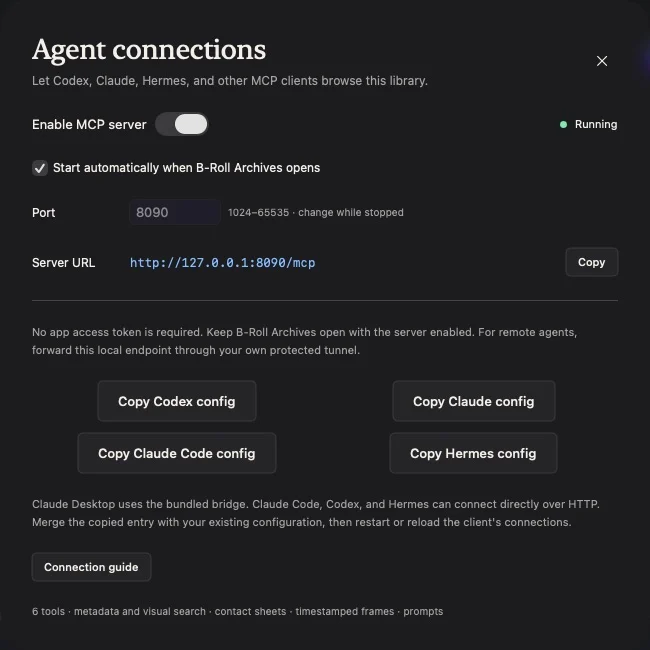
Six read-only tools.
Search footage, inspect metadata, retrieve contact sheets or sampled frames, and get a link to a clip at a timestamp. Tools never edit source footage.
Keep the app open.
The server listens on your Mac at a loopback address. Enable it in Agent connections and keep B-Roll Archives running while connected.
Understand provider boundaries.
An external agent can process the text and images it retrieves under that provider’s settings. A remote connection needs your own protected tunnel.